Files move
themselves.
You keep the receipts.
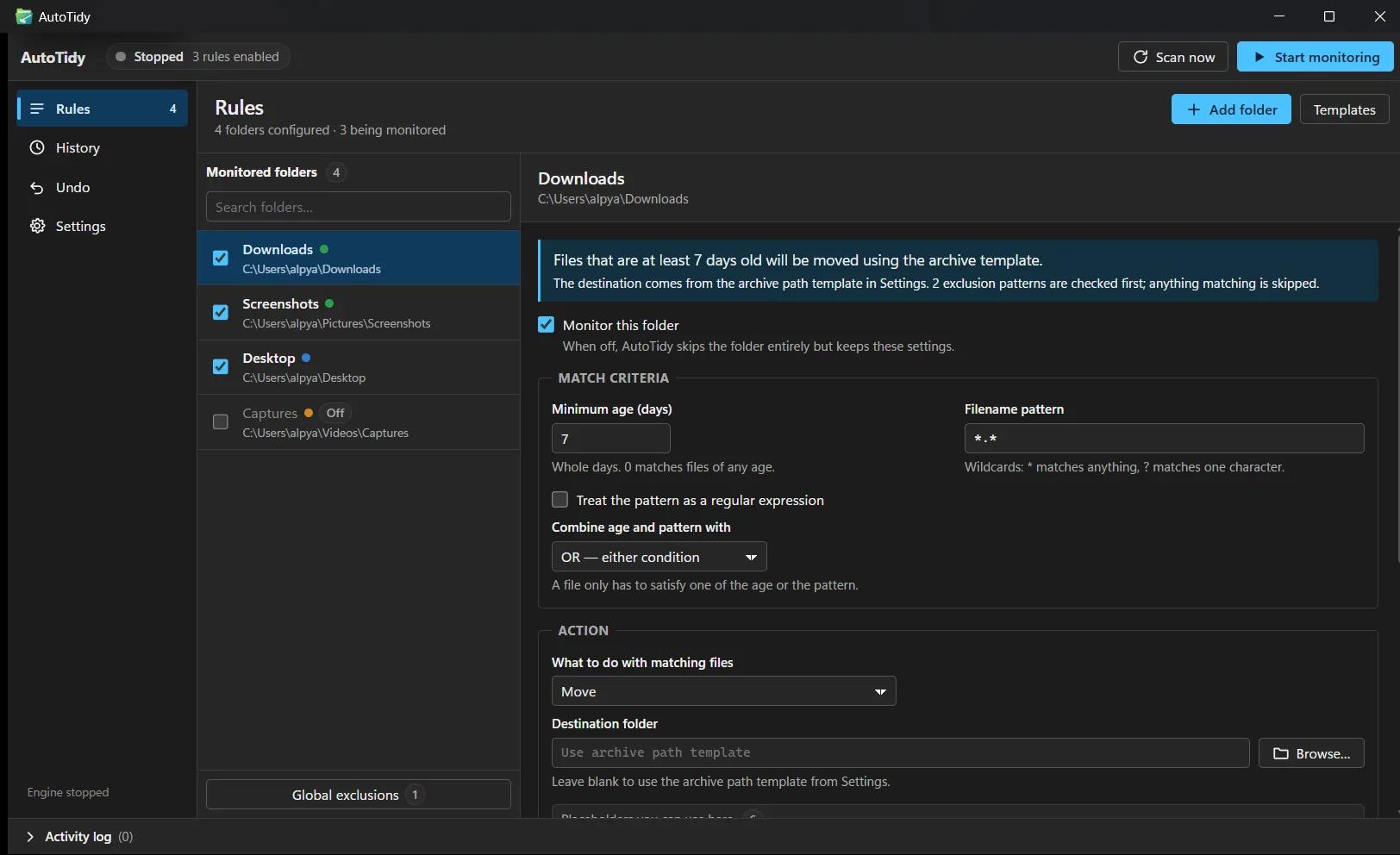
AutoTidy sits in the system tray and applies rules you write to the folders that always fill up — Downloads, Desktop, Screenshots. Match files by age, by name pattern, or both; move, copy, or delete them on a schedule. Every action is logged. Every run can be undone.
Version 2.0.0 · 1.8 MB installer · MPL-2.0 · no account
One rule per folder.
Yours, not ours.
No machine learning guessing at what your files mean. A rule says exactly what to match and exactly what to do with it — and does the same thing every time.
Files that have sat untouched past a threshold you choose. The screenshot from last month, not the invoice from this morning.
Glob patterns or full regular expressions against the filename. Installers, screenshots, exports — anything with a recognisable shape.
Combine the two per folder: require every condition, or act when any one of them holds.
Then it acts
AutoTidy runs from the system tray on the interval you set, and skips anything on your exclusion list. Matched files get exactly one of three treatments.
Software that deletes files has to earn it.
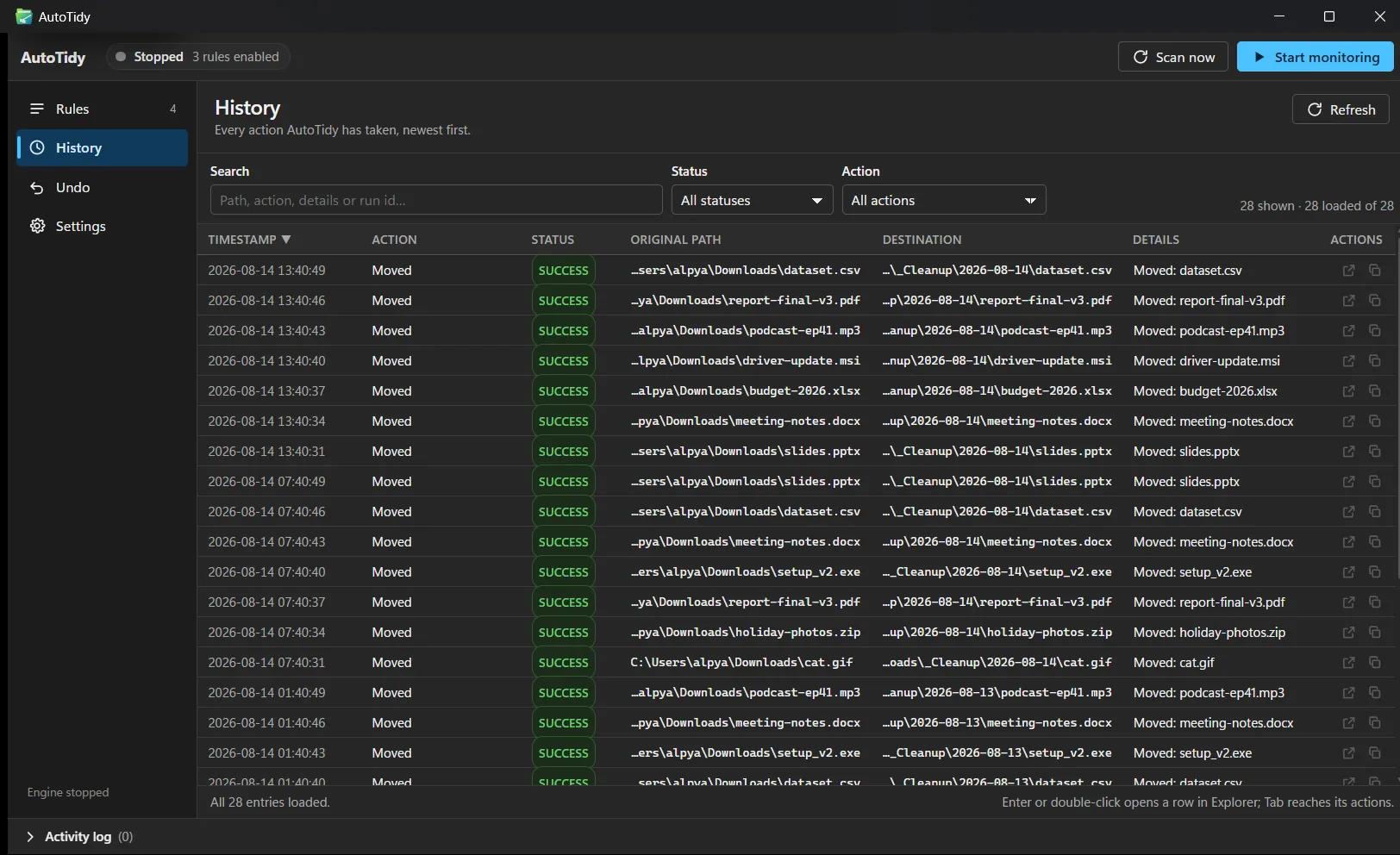
Everything is written down
Every run gets an ID, and every file it touches is recorded in history — what matched, what happened, where it went.
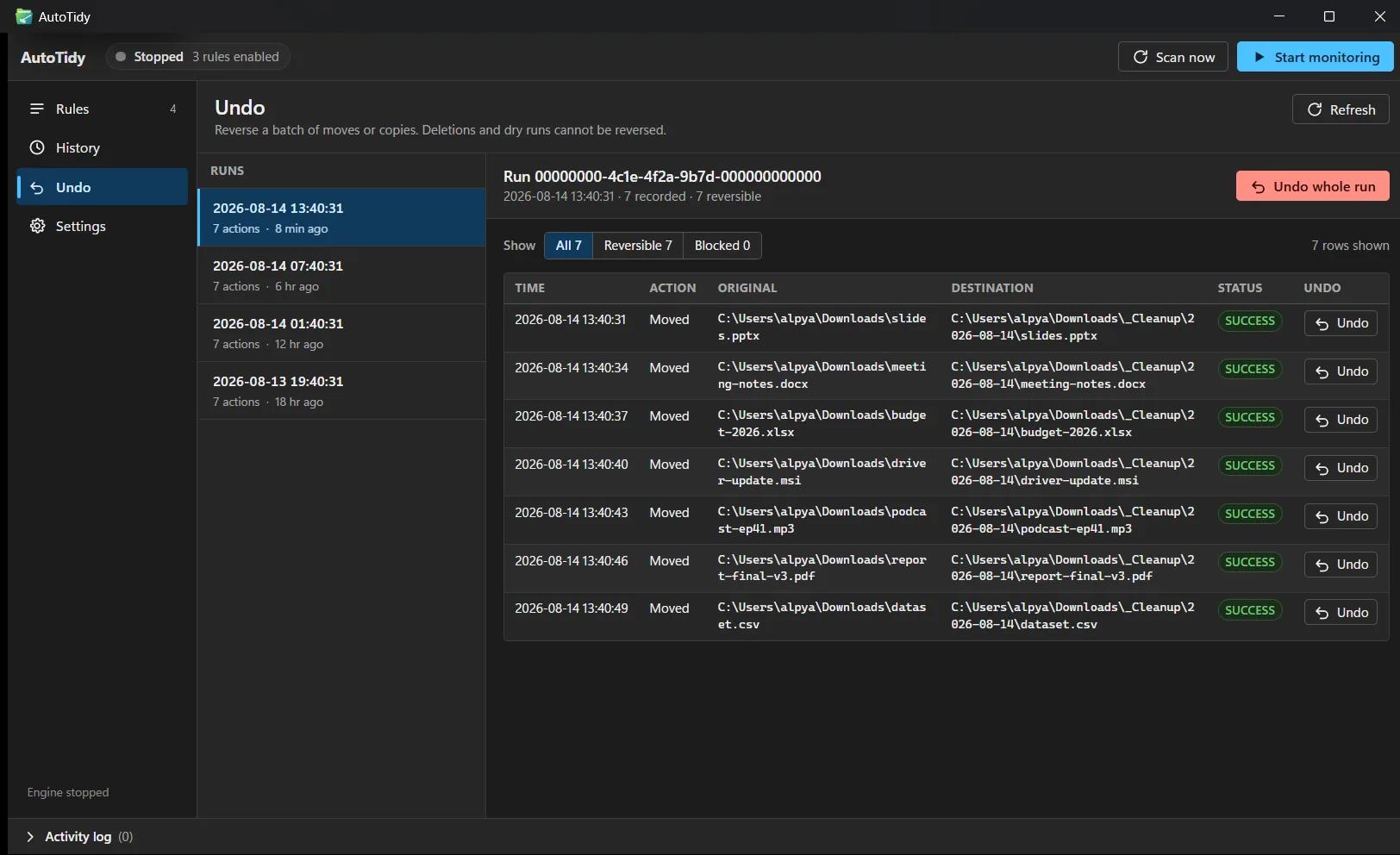
Runs can be walked back
Undo a whole run in one click: moves and copies return to where they came from. Not a vague promise — a button in the history view.
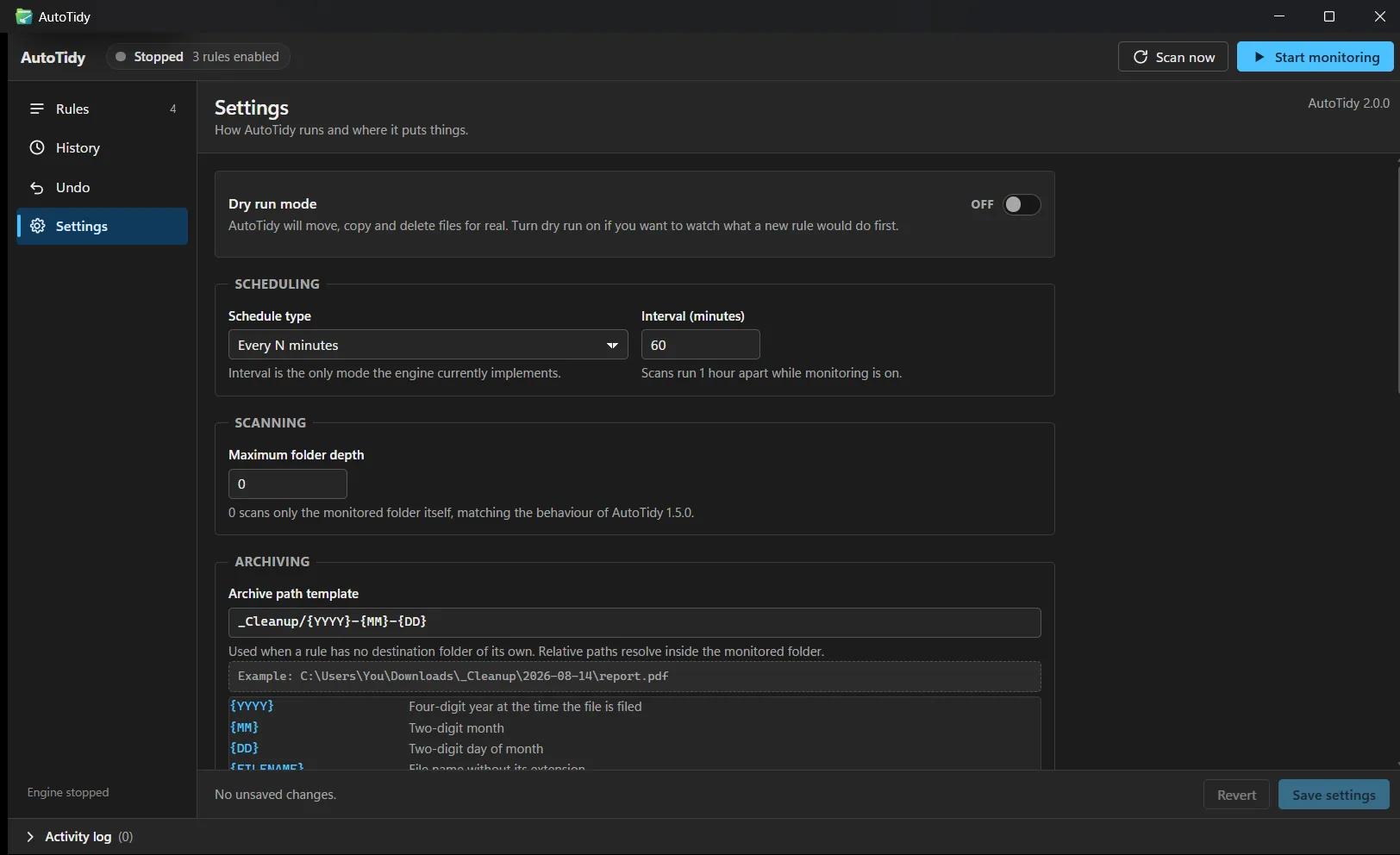
Rehearse before you commit
Dry-run mode evaluates a rule against the real folder and reports what would happen, without touching a single file.
2.0 is rebuilt from scratch.
It had to prove itself first.
Version 2.0 rebuilds AutoTidy in Rust — that's where the smaller, lighter app comes from. But you don't just rewrite software that moves and deletes files and hope you got it right. So the old version was kept on as the referee: both versions ran over the same test folders, again and again, and 2.0 was not allowed to ship until they agreed on everything.
Both versions look at the same folders and every match-or-skip decision is compared. If they ever disagree — even once — the update fails automatically.
Both versions actually run, on disposable copies of the folders, and the end results are compared file by file. This one exists because the riskiest code only runs when files really move — a rehearsal can never reach it.
What the referee caught
Real bugs that careful reading had already missed — each one would have shipped silently.
Capital letters almost broke matching
On Windows, a rule for *.png also matches .PNG files. The new engine initially treated them as different — existing rules would have quietly stopped working, with no error to see. Caught and fixed.
Renamed files kept their old names
A renaming option silently lost the new name and filed files under the original one. The logs looked fine; the outcome wasn't.
Old history nearly became one giant Undo
77 old history entries had no record of which run they belonged to. Imported carelessly, a single click of Undo would have unwound all of them at once.
The rewrite also cleaned up the licensing: the old app bundled a component whose license conflicted with AutoTidy's own. The new one has no such conflict.
Same machine. Same workload.
Python 1.5 against Rust 2.0, measured — not estimated — on the same machine running the same jobs.
| Metric | 1.5 · Python | 2.0 · Rust | |
|---|---|---|---|
| Installer | 73 MB | 1.8 MB | 41× smaller |
| Executable | 33.5 MB | 4.9 MB | |
| Right-click “Add folder” | 74 ms | 21 ms | |
| Organising 8,000 files | 7.4 s | 0.6 s | |
| Recursive scan, 20,000 files | not possible | 1.6 s | new in 2.0 |
246 automated tests · CI-gated on tests, clippy, formatting and both parity harnesses
Fair questions
Can it delete something I need?
Only what a rule you wrote matches — and you choose per rule whether deletes go to the Recycle Bin or are permanent. Dry-run mode rehearses a rule before it goes live, every action is logged, and moves and copies can be undone as a whole run.
Is it really free?
Yes. AutoTidy is open source under the MPL-2.0 license. The code is on GitHub, and version 2.0.0 is a 1.8 MB Windows installer — there is also a portable executable if you would rather not install anything.
What does it run on?
Windows. AutoTidy 2.0.0 is built with Rust and Tauri and runs from the system tray.
Where do my rules live?
In a local configuration file on your machine. There is no account and nothing to sign in to.
Write the rule once.
Never tidy again.
Download the installer, add a folder, write your first rule. AutoTidy takes the shift from there — and writes everything down.
Version 2.0.0 · 1.8 MB installer · Windows
Also available: portable .exe (4.9 MB) · SHA-256 checksums · release notes